B2B SaaS design trends: what’s changing and what still matters

B2B SaaS products are changing fast. AI is entering more workflows, teams are under pressure to ship faster, and users are becoming more used to polished digital products in every part of their lives.
But in B2B SaaS design, trends only matter if they help users do their job better.
In our experience working with B2B SaaS products, the biggest design challenges are rarely only visual. They are usually structural. Products grow over time, new features are added, different user types need different things, and workflows become harder to connect into one coherent experience.
This is where designing for B2B often becomes more complex than designing for consumer products. B2B users may value a polished interface as a sign of quality and credibility. But if the workflow is slow, fragmented, or difficult to understand in their day-to-day work, visual design becomes secondary. Most of the time, users just want to complete a task, make a decision, avoid mistakes, and move on with their work.
So, while AI, automation, and adaptive interfaces are important topics, the real question is not “What trend should we follow next?” but:
How can we design B2B SaaS products that feel clearer, faster, and more trustworthy as they become more powerful?
Let’s look at the B2B SaaS design trends that actually matter.
1. B2B SaaS design is moving from feature-first to workflow-first
Many B2B SaaS products grow by adding new features. From a business perspective, this often makes sense. New features can support upselling, unlock new revenue streams, or respond to specific customer needs. But from a user experience perspective, this can easily create a fragmented product.
When every feature is designed and shipped separately, the product can start to feel like a collection of disconnected tools. Users may be able to complete individual tasks, but the overall experience becomes harder to understand. Navigation gets heavier, dashboards become crowded, and users need to remember where each feature lives.
This is one of the most important shifts in B2B SaaS design: moving from feature-first thinking to workflow-first thinking.
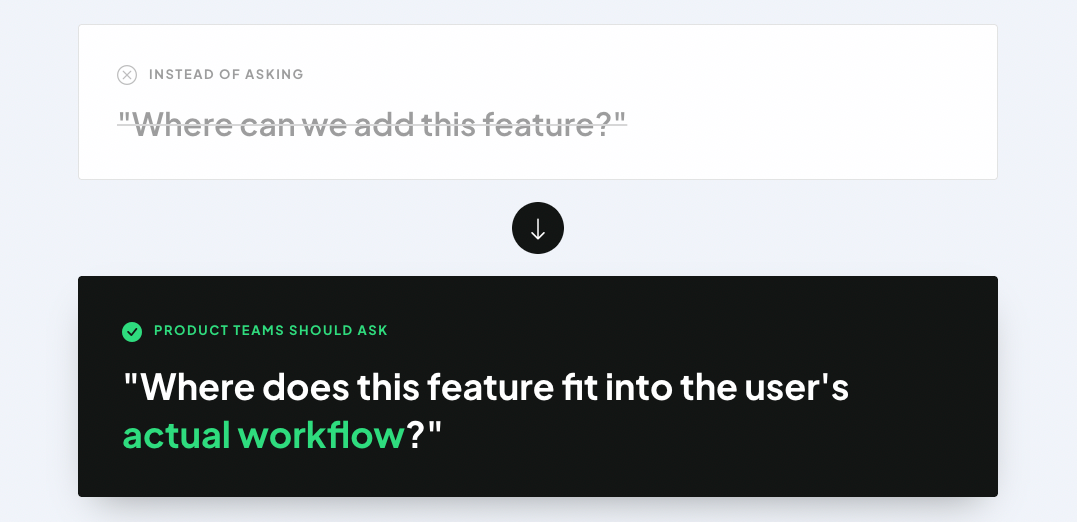
For B2B users, the value of a product usually comes from how well it supports a complete process. They may need to analyze data, make decisions, take actions, track outcomes, and repeat the same workflow regularly. If the product doesn’t connect individual steps well, even useful features can become frustrating.
What this means for UX teams
When designing new B2B SaaS features, map the full user journey before jumping into screens. Look at what users do before and after using the feature, what information they need to make decisions, and where the feature should connect with existing workflows.
A good B2B SaaS product should not only have powerful features. It should help users move through complex work with less effort.
2. AI features need to solve real problems, not just follow the trend
AI is one of the biggest topics in SaaS right now, and B2B products are no exception. Teams are exploring AI assistants, smart recommendations, automated workflows, predictive insights, and AI-generated content. But adding AI to a product doesn’t automatically make the experience better.
In B2B SaaS, AI works best when it helps users with a real task: finding opportunities, reducing repetitive work, highlighting risks, prioritizing actions, or helping users make more informed decisions. It becomes less useful when it’s added as a generic chatbot or as a feature that doesn’t fit naturally into the workflow.
Recent discussions around enterprise AI also point to the same problem: companies are not only trying to adopt AI tools, but also trying to embed them into real workflows in a transparent and governed way. Without that, AI can remain scattered, difficult to trust, and hard to scale.
For B2B SaaS products, this means AI should not feel like a separate layer sitting on top of the product. It should support the moments where users already need help.
For example, AI can help users:
- identify patterns in complex data,
- receive recommendations based on performance,
- automate repetitive low-risk tasks,
- summarize large amounts of information,
- or understand what action to take next.
The goal is not to make the product look more advanced, but to help users do valuable work faster and with more confidence. Learn more about AI design patterns in SaaS that work.
What this means for UX teams
Before designing an AI feature, define the user problem clearly. Ask:
- What decision or task is AI supporting?
- What input does the user need to provide?
- Does natural language input actually help users complete their goals?
- What output will the AI generate?
- How will the user know whether to trust it?
- Do users understand what AI is capable of from the start?
- What can the user do if the recommendation is wrong?
If these questions are difficult to answer, the AI feature may not be ready for design yet.
3. Trust and control are becoming core parts of B2B UX
In consumer products, users may tolerate a little experimentation. In B2B SaaS, the stakes are usually higher.
A wrong action can affect revenue, operations, reporting, customer communication, or internal processes. This is why trust and control are not just “nice-to-have” UX principles in B2B SaaS. They are part of the product’s value.
This becomes even more important with AI.
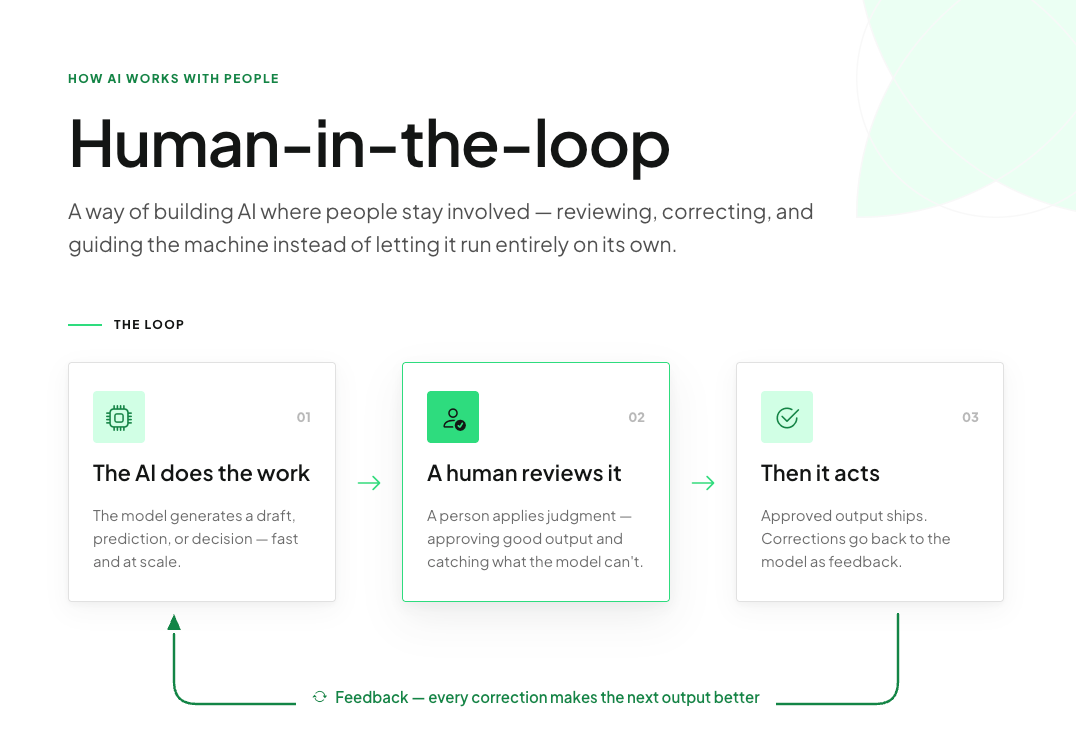
If an AI feature recommends an action, changes data, or automates a workflow, users need to understand what is happening. They should be able to review, edit, approve, or override the output, especially when the task has business consequences.
Transparent AI design is becoming a key requirement for enterprise trust because users and organizations need to understand how AI-supported decisions are made, monitored, and governed. Human-in-the-loop UX follows the same direction: humans should actively review and approve AI decisions in workflows where accuracy and accountability matter.
A useful way to think about automation is by risk level:
- Low-risk tasks can often be automated earlier. For example, reordering content, pre-filling fields, or suggesting labels may not require much user effort to approve every time.
- High-risk tasks are different. If the product is changing pricing, sending communication, purchasing something, deleting information, or making a decision with financial impact, users should stay in control.
Over time, users may decide to give the product more autonomy. But that trust has to be earned.
What this means for UX teams
Design AI and automation with different levels of control:
- Suggest: the product recommends an action.
- Explain: the product shows why it recommends it.
- Review: the user checks the output.
- Approve: the user confirms the action.
- Automate: the user chooses to let the product handle it next time.
This helps users build trust gradually instead of being forced into automation before they are ready.
4. B2B users don’t just want B2C UX. They want faster work.
There is a common idea that B2B users now expect enterprise tools to feel like consumer apps.
There is some truth in this. People use well-designed digital products every day, and naturally, they bring some of those expectations into work. They notice when a product feels outdated, slow, or unnecessarily complicated.
But comparing B2B SaaS directly to B2C products can be too simplistic.
B2B users usually have different goals, constraints, and responsibilities. They are not opening the product for entertainment or casual browsing. They are using it to complete work. Often, they are dealing with dense information, multiple user roles, permissions, integrations, internal processes, and business rules.
So, while B2B products should absolutely be clear, polished, and easy to use, they should not blindly copy consumer UX patterns.
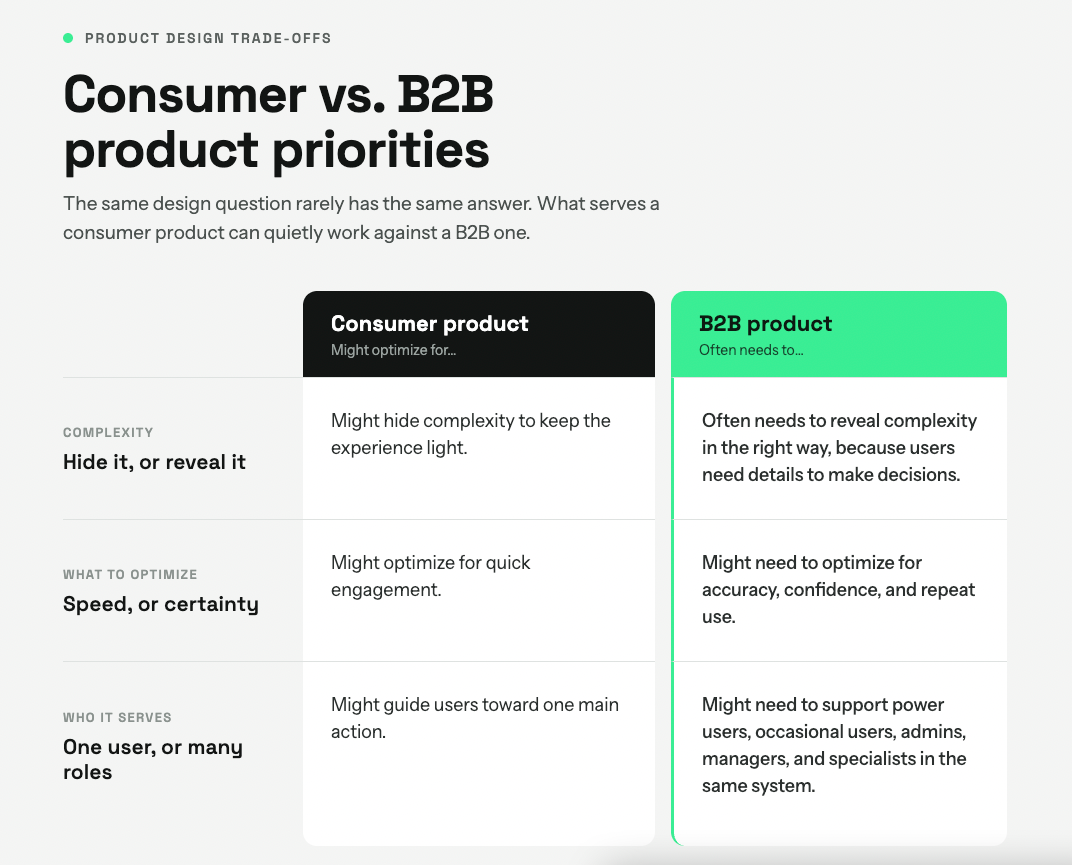
The goal is not to make B2B SaaS feel like B2C. The goal is to make complex work feel manageable.
What this means for UX teams
Borrow B2C patterns when they improve clarity, speed, or confidence. For example, simple onboarding, readable copy, strong visual hierarchy, and clear feedback can help any product.
But be careful with patterns that oversimplify workflows, hide important information, or remove control from users who need it.
Good B2B UX doesn’t mean making everything minimal. It means making everything purposeful.
5. Mature B2B products need continuous UX improvement, not only redesigns
Redesigns are exciting. They are visible, easy to present, and often easier to connect to business ambition.But in mature B2B SaaS products, some of the most valuable UX improvements are much smaller.
This is especially true when users are already familiar with the product. A major redesign can create disruption, even when the new interface is objectively cleaner. B2B users often build habits around tools they use every day, and sudden changes can slow them down.
This doesn’t mean products should never be redesigned. Sometimes, the structure really is outdated and needs deeper change. But teams should not underestimate the impact of continuous improvement.
Small UX changes can make a big difference, especially in workflows users repeat often.
For example:
- better defaults can reduce unnecessary decisions,
- fewer required fields can make forms faster,
- clearer status indicators can reduce uncertainty,
- better feature explanations can improve adoption,
- customizable tables can help users focus on the task at hand,
- improved empty states can guide users when they don’t know what to do next.
Go deeper with:
- consider in-context data layers using hover tooltips and progressive disclosure to avoid overwhelming users,
- and use role-based access to hide complex data from non-technical users and expose detailed data to analysts (casual vs. power users)
These improvements may not look as impressive as a full redesign, but they can directly reduce friction in everyday work.
What this means for UX teams
Don’t wait for a full redesign to improve the product. Use research, analytics, support tickets, usability testing, and stakeholder input to find recurring friction points.
Then prioritize improvements based on frequency, impact, and effort.
In B2B SaaS, a small improvement in a high-frequency workflow can be more valuable than a beautiful redesign of a rarely used screen.
6. Design systems are no longer just a UI tool
Design systems are often described as a way to create visual consistency. That’s true, but in B2B SaaS, their value goes further.
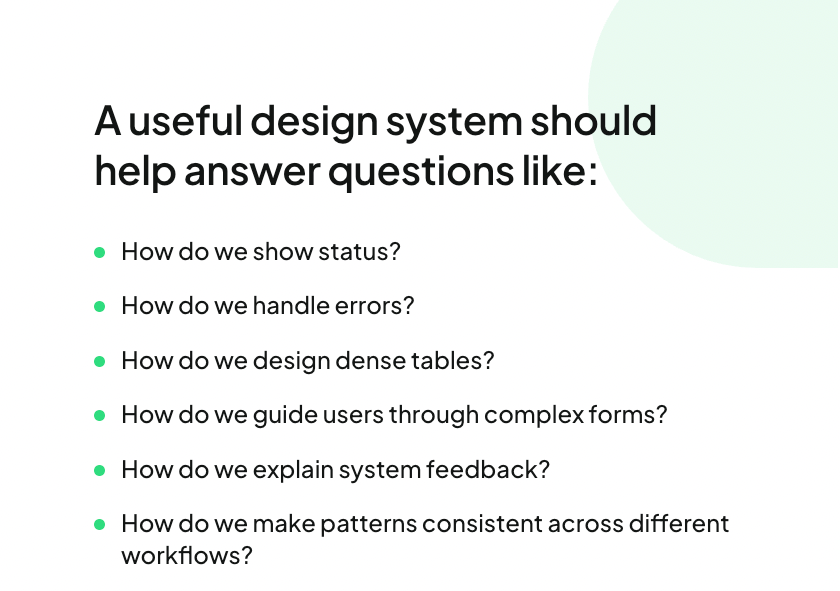
A strong design system helps teams move faster because designers and developers don’t need to solve the same UI problems again and again. It creates shared patterns, reusable components, and clearer standards for how the product should behave.
This matters a lot in B2B SaaS, where products often include complex forms, data tables, filters, dashboards, permissions, notifications, and multi-step workflows.
When the design system handles the basics, designers can spend more time on the actual user experience: the flow, the logic, the hierarchy, and the decision-making moments.
B2B SaaS design systems are commonly framed as scalable foundations for complex products because they help teams maintain consistency across components, patterns, documentation, and governance as the product grows.
What this means for UX teams
Treat the design system as product infrastructure, not as a visual library. But infrastructure also needs ownership. A design system only works at scale when teams know who maintains it, who makes decisions, and how consistency is protected as new features, edge cases, and business needs appear.
The more complex the product becomes, the more important these shared decisions are.
7. B2B SaaS design requires deeper domain understanding
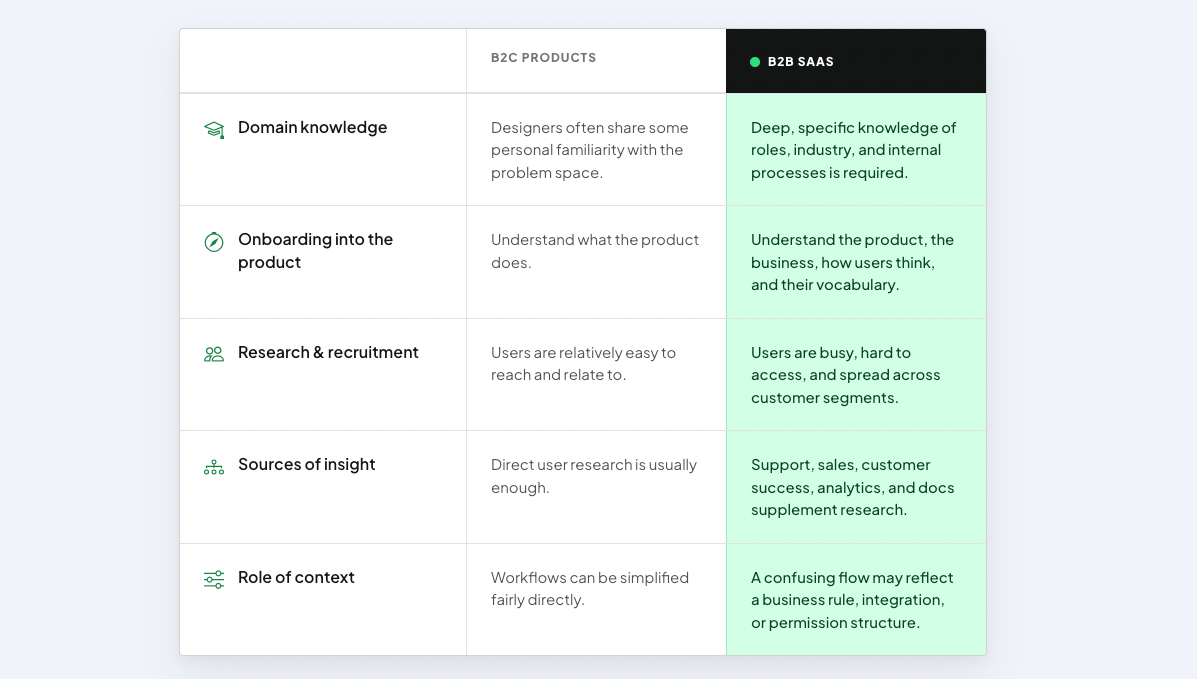
One of the biggest differences between B2B and B2C design is the amount of domain knowledge needed.
In B2C products, designers often have at least some personal familiarity with the problem space. In B2B SaaS, that is not always the case. You may be designing for users with very specific roles, industry knowledge, internal processes, and business goals.
This makes onboarding into a B2B product more demanding. Designers need to understand not only what the product does, but also how the business works, how users think, what terms they use, and what makes a workflow successful.
This is also why research can be harder in B2B.
Recruiting the right users is not always straightforward. Users may be busy, difficult to access, or spread across different customer segments. Sometimes, the best available insight comes from a mix of sources: support teams, sales teams, customer success teams, analytics, internal documentation, and stakeholder knowledge.
That doesn’t replace direct user research, but it helps teams build a clearer picture when recruitment is difficult.
In B2B SaaS, context is everything. A workflow that looks confusing at first may exist because of a business rule, an integration, a permission structure, or a market-specific requirement. Designers need to understand these constraints before simplifying them.
What this means for UX teams
When joining a complex B2B product, don’t start only with the interface.
Start by learning:
- who the different user types are,
- what jobs they need to complete,
- what tools they use before and after your product,
- which workflows are business-critical,
- what information users need to trust a decision,
- and which internal constraints shape the product.
Good B2B SaaS design is not only about UI skills. It requires curiosity, systems thinking, and the ability to connect user needs with business logic.
What hasn’t changed in B2B SaaS design
Trends come and go, but some user needs stay the same.
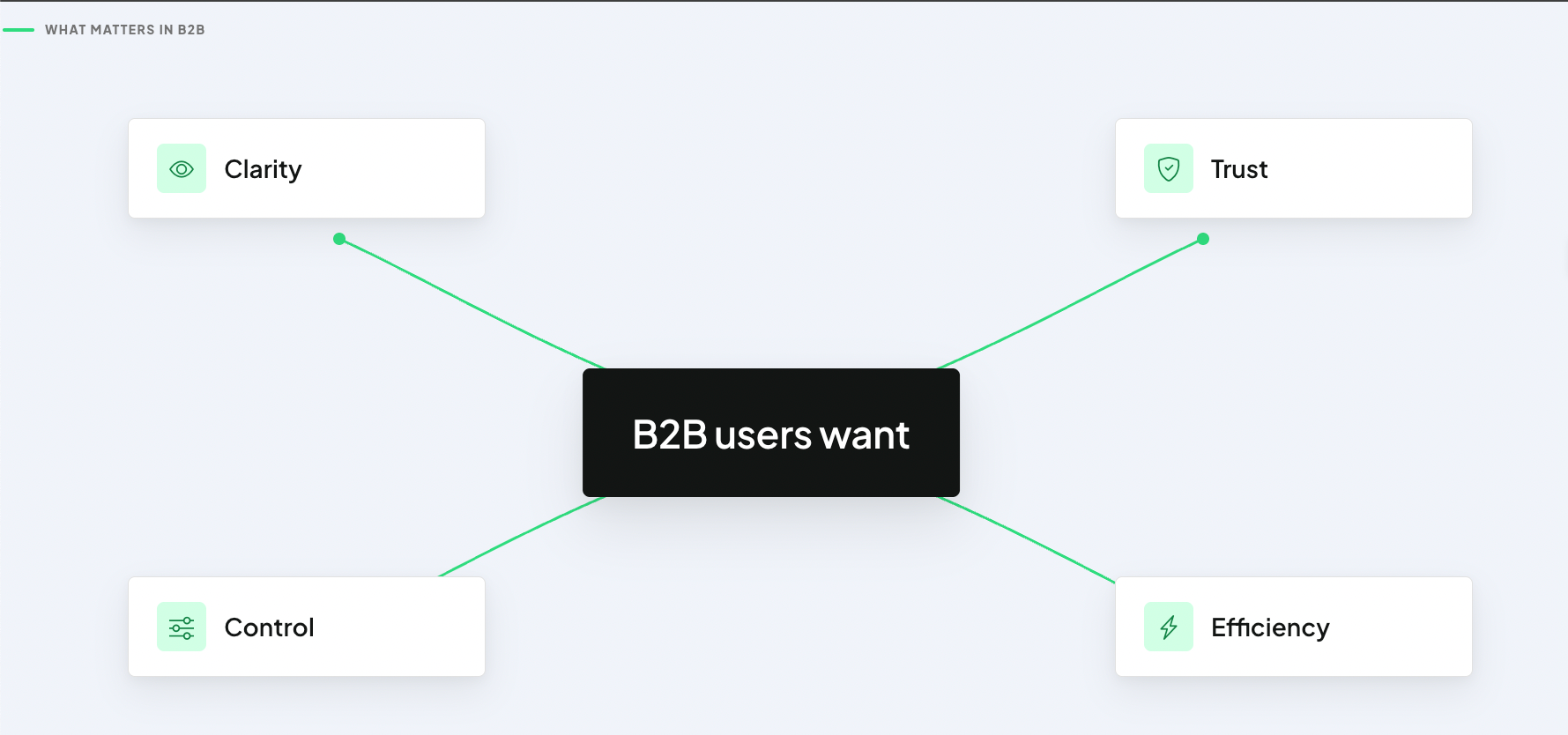
B2B users still want clarity. They want to understand where they are, what they can do, and what will happen next.
They still want trust. They need to know that the product is reliable, that data is accurate, and that important actions won’t happen without their awareness.
They still want control. Especially when workflows involve business risk, users need the ability to review, edit, confirm, or undo actions.
And most importantly, they still want efficiency.
In many B2B SaaS products, users don’t care whether the interface is trendy. What’s more important is that it helps them get the job done faster.
This doesn’t mean visual design doesn’t matter. A clear, modern interface can make a product easier to understand and more pleasant to use. But visual polish alone cannot compensate for a broken workflow. The best B2B SaaS design combines both: a clean interface and a deep understanding of how work actually gets done.
What’s next for B2B SaaS UX?
The next phase of B2B SaaS design will probably not be defined by one single trend.
AI will keep evolving. Interfaces may become more adaptive. Dashboards may become more personalized. Products may become better at recommending actions instead of only showing information. Teams may use AI tools earlier in the design process to explore ideas, create prototypes, and test concepts faster.
The most important themes will likely remain trust and efficiency.
AI only works if users trust it. Automation only works if users feel in control. Personalization only works if it supports the right workflow. And new features only work if they fit into the product as a whole.
For product teams, this means the future of B2B SaaS design is not just about adding more capabilities but making advanced capabilities feel usable, connected, and safe.
For designers, it means our role is becoming more strategic. We need to understand business logic, technical constraints, user behavior, and product architecture. We need to collaborate closely with product managers, engineers, researchers, content designers, sales teams, support teams, and data analysts.
The tasks around us may keep changing, especially with AI and faster prototyping tools. But the core responsibility of design remains the same: helping users solve real problems in a way that makes sense for them.
Is your B2B SaaS product becoming harder to use?
B2B SaaS products often become complex for good reasons. New features are added, new user types appear, business models evolve, and technical constraints accumulate over time.
But complexity should not become the user’s problem.
If your product has powerful features but users struggle to find them, understand them, or connect them into their daily workflow, it may be time to take a closer look at the experience.
Common signs include:
- users relying heavily on support,
- low adoption of important features,
- workflows that require too many manual steps,
- dashboards that show information but don’t guide action,
- AI features that users don’t fully trust,
- or a product that feels like separate tools instead of one connected system.
A UX audit, research project, or redesign discovery can help identify where the real friction is. Sometimes the solution is a full redesign. But often, the most valuable improvements come from better structure, clearer flows, stronger design system usage, and a deeper understanding of users’ work.
Ready to improve your B2B SaaS experience?
Your B2B SaaS product deserves to grow, and your user experience deserves the same level of attention you gave to building the product.
If your product is becoming harder to use, your workflows feel disconnected, or your team is unsure where UX improvements would have the biggest impact, let us help you find out why.
Get in touch with our team of UX experts and we’ll help you design a B2B SaaS experience that is clearer, faster, and easier to trust.