Does your business really need a chatbot?

As more and more businesses introduce AI chatbots to their products and websites, it may start to feel like a must-have solution. But is it really what users want?
This post helps you decide whether your business needs an AI chatbot, and if so, what it should and shouldn’t do. We’ll consider use cases by industry trends, look at the three most common business considerations, and review what tends to be left out of the conversation: the ethical challenges of AI use.
What the data actually says about chatbots
The numbers on AI chatbots tell two very different stories depending on which ones you look at, and both are true. Understanding that tension is the most useful starting point for any PM or decision-maker weighing whether to build one.
- On one side: chatbots, when implemented well, deliver measurable results. They can handle up to 80% of routine questions without human intervention, reduce first-response time by up to 90%, and lower support backlogs.
- On the other hand, the failure data is just as striking. 40% of users report having had a bad experience with an AI chatbot. 75% of customers feel that chatbots struggle with complex issues and often fail to provide accurate answers. When it comes to customer service, 90% of people say they prefer interacting with a human over a chatbot.
What separates the two groups? Rarely the underlying technology. The divergence almost always traces back to how well the use case was validated, how carefully the conversational experience was designed, and how consistently the product was maintained after launch.
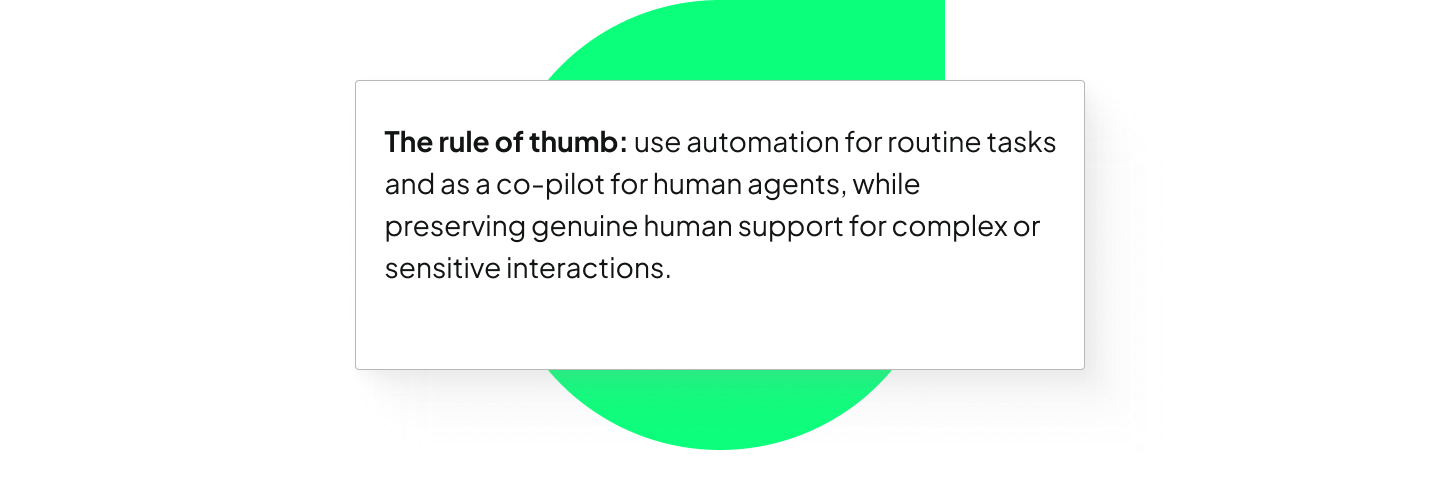
The sections below will help you work out where your use case sits on that spectrum, and what good design looks like at each stage and for each major industry.
Industry trends for AI chatbots
Healthcare
One of the most promising use cases of AI chatbots are in healthcare, as demand for remote care rose in the wake of the COVID-19 pandemic.
Beyond B2C products, such as diagnostic support, self-monitoring, counselling and data collection, B2B chatbots also emerged, mainly focusing on hospital management.
A systematic review by Grassini et al found that the biggest challenge faced by healthcare chatbots is inclusivity, especially with regards to the elderly and disabled patients.
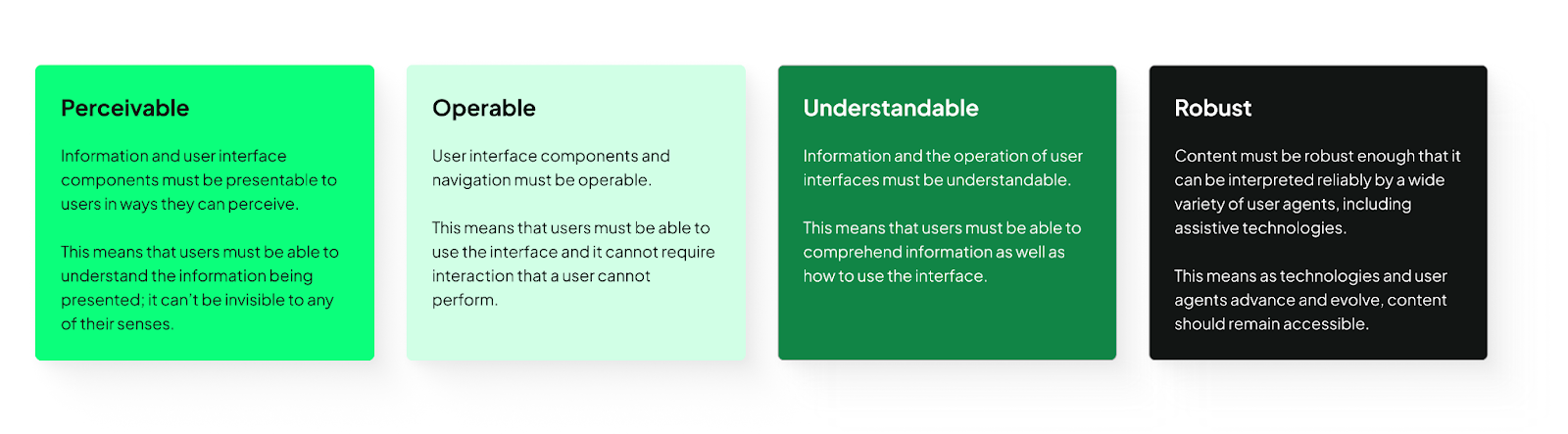
UX/UI design can significantly improve accessibility on multiple fronts. We recommend using the UX Design Institute's accessibility checklist. The POUR model sums up the main principles.
SaaS
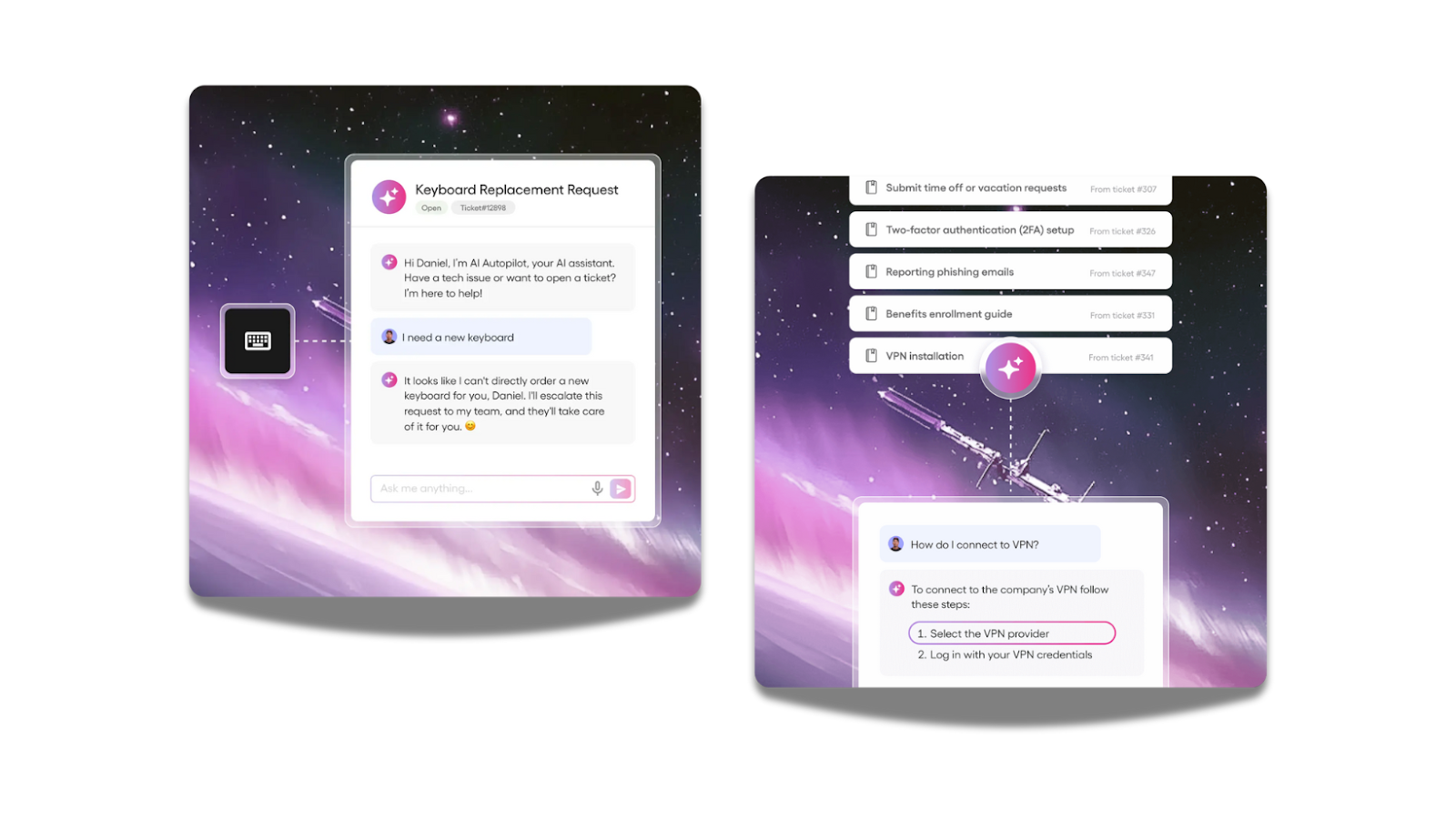
In SaaS products, AI-powered chatbots are reshaping how users interact with software. UX designer Gábor Szabó emphasizes that unlike traditional tools with predictable outputs, chatbots produce variable responses, so UI design must help users navigate this unpredictability.
Features like suggested alternatives, inline edits, and response versioning let users compare outputs and refine results, while framing answers as suggestions builds trust.
Furthermore, clearly labeling AI-generated content, providing concise reasoning snippets, and linking to source documents help users verify responses.
Inline review tools (quick accept, edit, or reject actions) integrate human oversight naturally into workflows, so errors are caught without slowing productivity. This design approach makes interactions more reliable, efficient, and genuinely helpful for business users.
Edtech
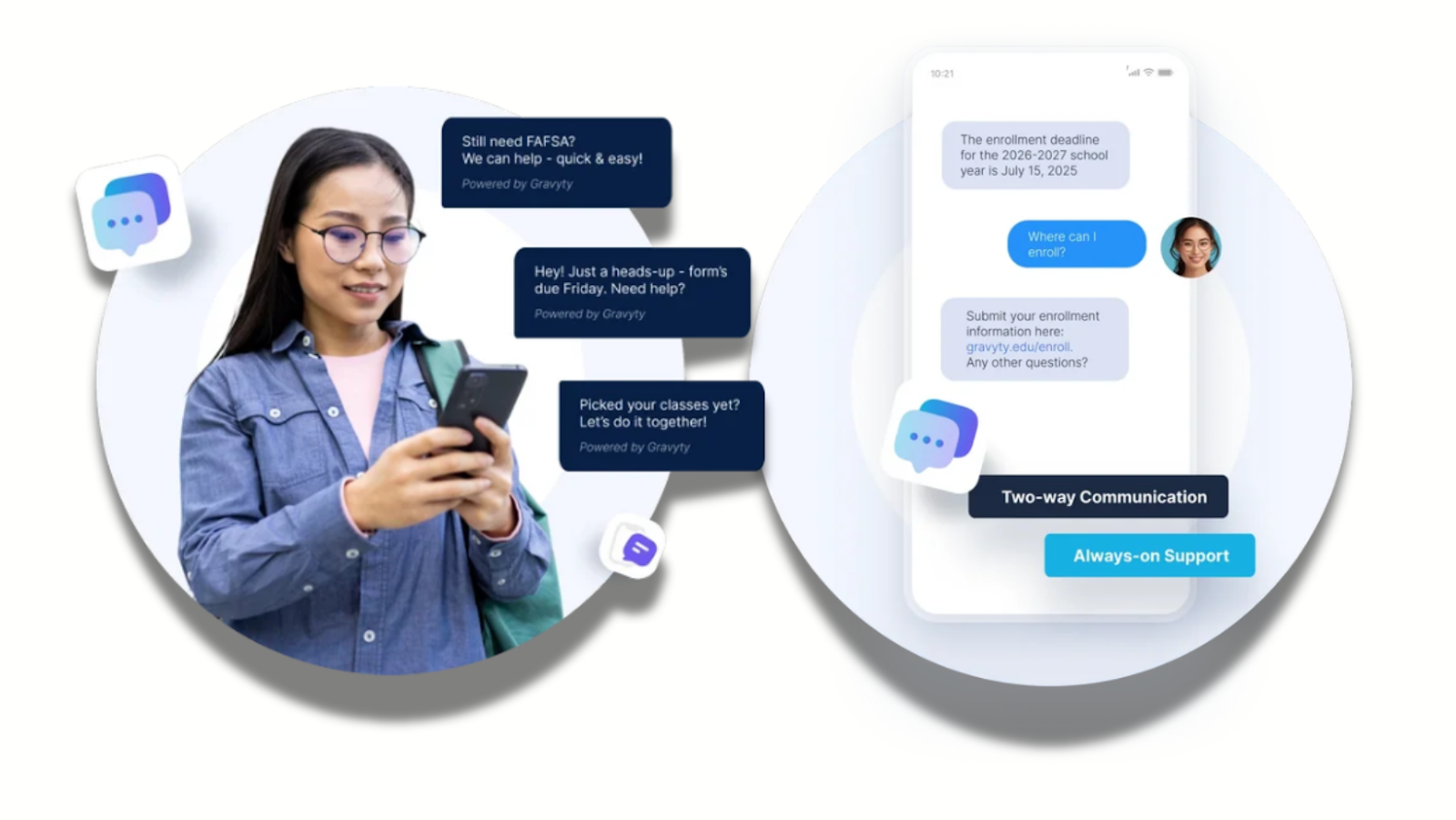
Chatbots are increasingly shaping education. Tools like Ivy.ai demonstrate how chatbots can offer 24/7 assistance for university services, from admissions and course selection to financial aid, reducing administrative burden on staff while improving the overall student experience.
For learners, chatbots can act as tutors, answering questions, providing feedback, and guiding them through personalized learning paths, making education more accessible and tailored to individual needs.
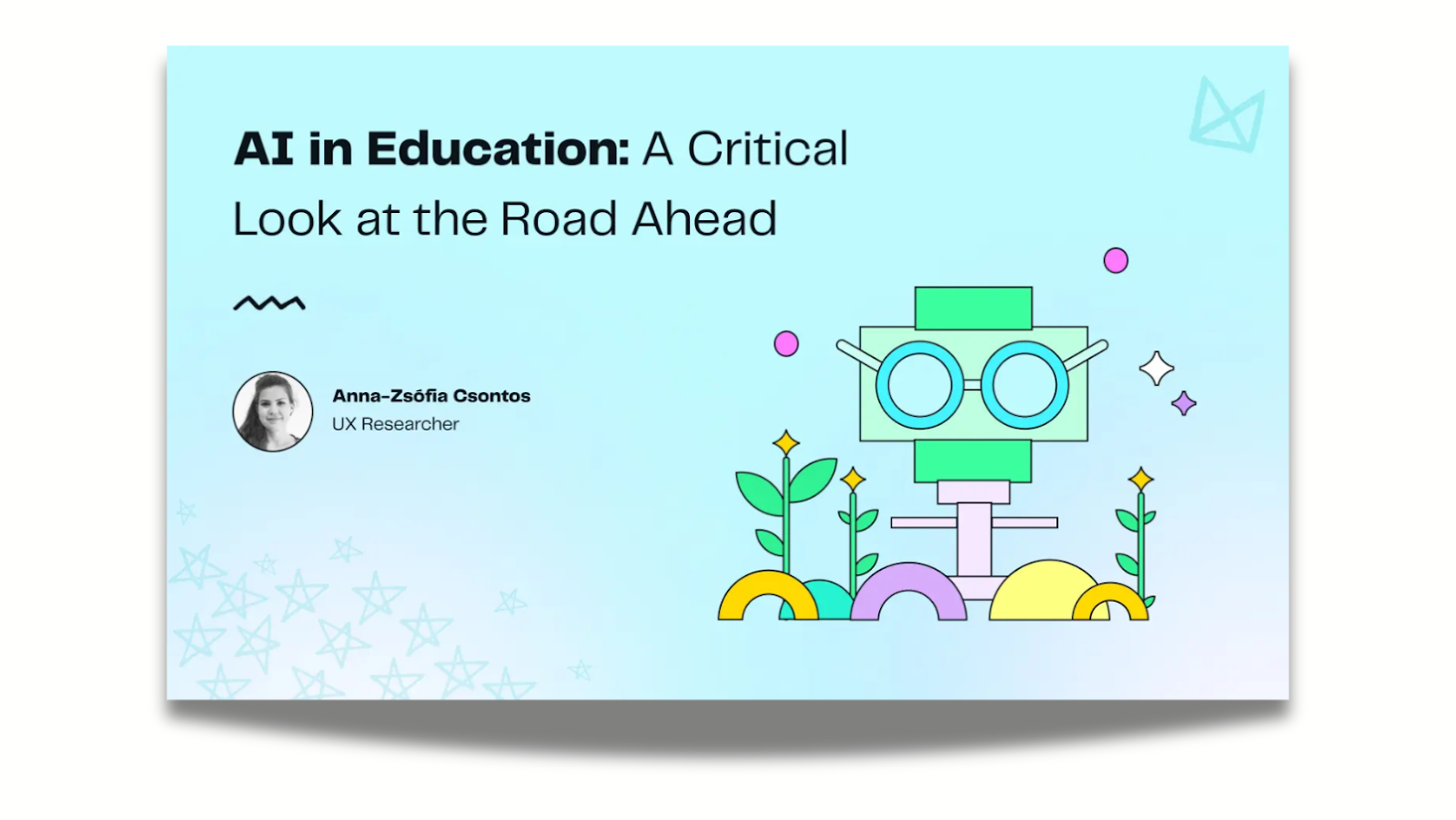
Besides opportunities, there are notable risks in this industry as well. UX researcher Anna-Zsófia Csontos from UX studio highlights that unlike generic chatbots, educational chatbots must communicate clearly, provide accurate information, and anticipate a wide range of user abilities and contexts.
Incorporating UX principles ensures that chatbots support intrinsic motivation, foster engagement, and avoid over-reliance on AI for completing tasks.
Features like conversational clarity, contextual hints, adaptive responses, and inclusive language are critical to making the interaction intuitive and effective for diverse learners.
However, ethical challenges remain. Since chatbots often handle sensitive student information, transparency in data usage and adherence to privacy standards are paramount.
Designers must also consider equity, ensuring that all students (regardless of technological access, language proficiency, or learning ability) can benefit from AI support.
General considerations
How do I ensure a chatbot would actually help my users?
To build actually helpful chatbots, always consider the user and their context: what do they need? Would a chatbot be able to offer the easiest and simplest solutions?
According to Designnotes, the ideal chatbot query:
- is commonly asked
- leads to one, simple answer or action
- or a small number of tailored answers or actions
Furthermore, the AI chatbot must be able to describe its own limitations (what it can and can’t help with) and remind users that they’re not talking with an all-knowing entity, but, essentially, a set of code. For this reason, domain-specific chatbots are better suited for most businesses.

How could I integrate a chatbot without breaking my product experience?
Never brute-force assistance. Avoid intrusive UI, but make sure that visitors are aware that they don’t need to leave your site or contact support if they need help, because a built-in helper is available.
Remember that your goal is not to keep users chatting, but to assist them in achieving their desired tasks smoothly. We suggest, though not without bias, to work with UX/UI designers experienced with AI to help you create intuitive experiences.

What’s possible with AI vs what’s feasible?
Even if the chatbot experience would be a small bit of your product, make sure you can effectively prioritize tasks relating to building and maintaining it.
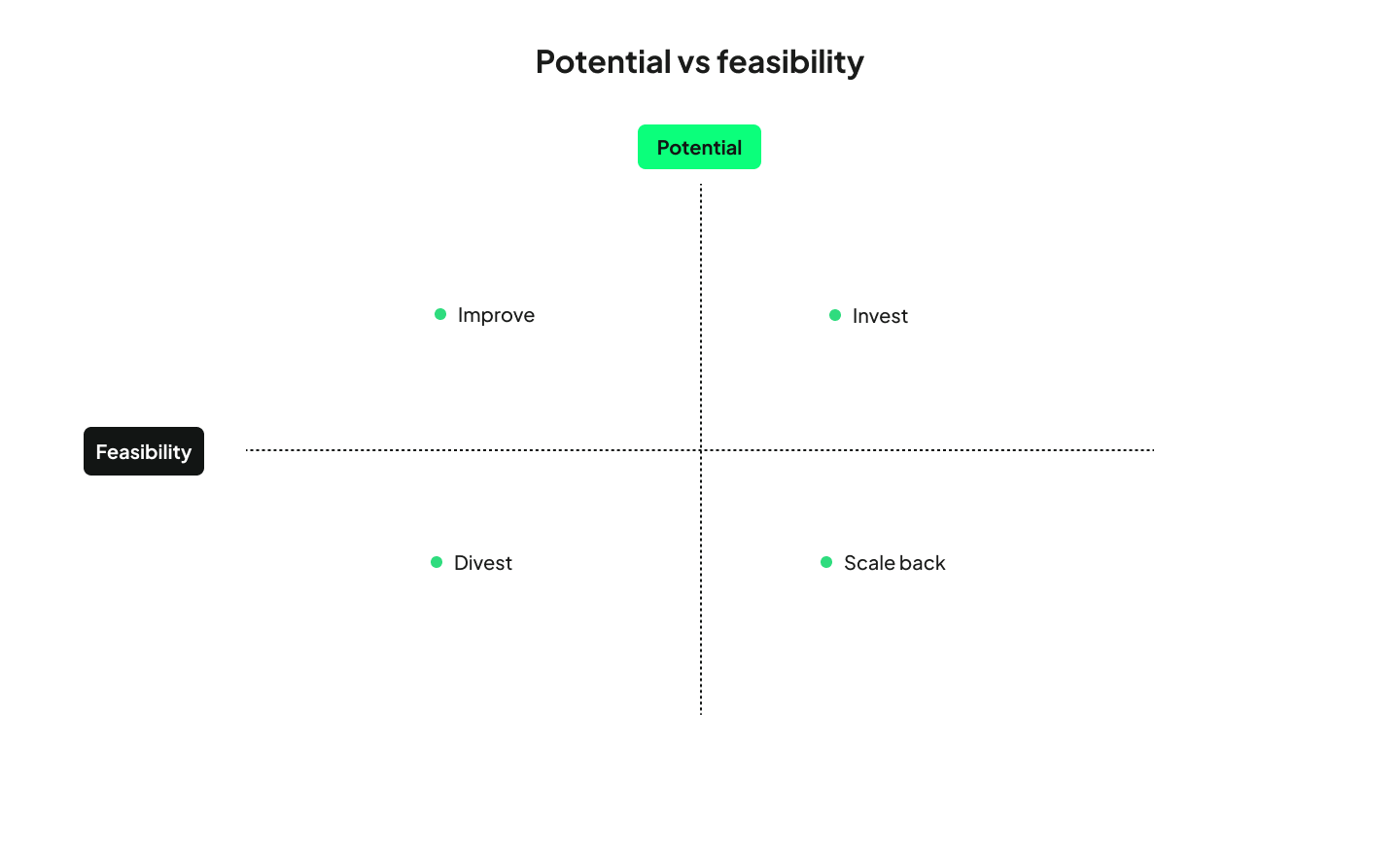
Skim Technologies suggests using a potential vs. feasibility matrix as a way to cut through internal noise. By involving all departments and evaluating AI ideas on business impact and execution readiness, organizations can make smarter decisions.
The matrix outlines four paths (Invest, Improve, Scale back, or Divest) each guiding how much time, money, and effort a project deserves. Beyond choosing new initiatives, the framework is also valuable for reassessing existing AI projects that aren’t delivering expected results and adjusting course before scaling to production.
Ethical challenges & how good design responds
This is the section where many AI chatbot articles either go silent or get alarmist. Neither is useful for a decision-maker. What follows is a clear-eyed look at the real risks and, more importantly, what responsible design practice looks like in response to each.
1. Antromorphism: design chatbots that feel like tools, not people
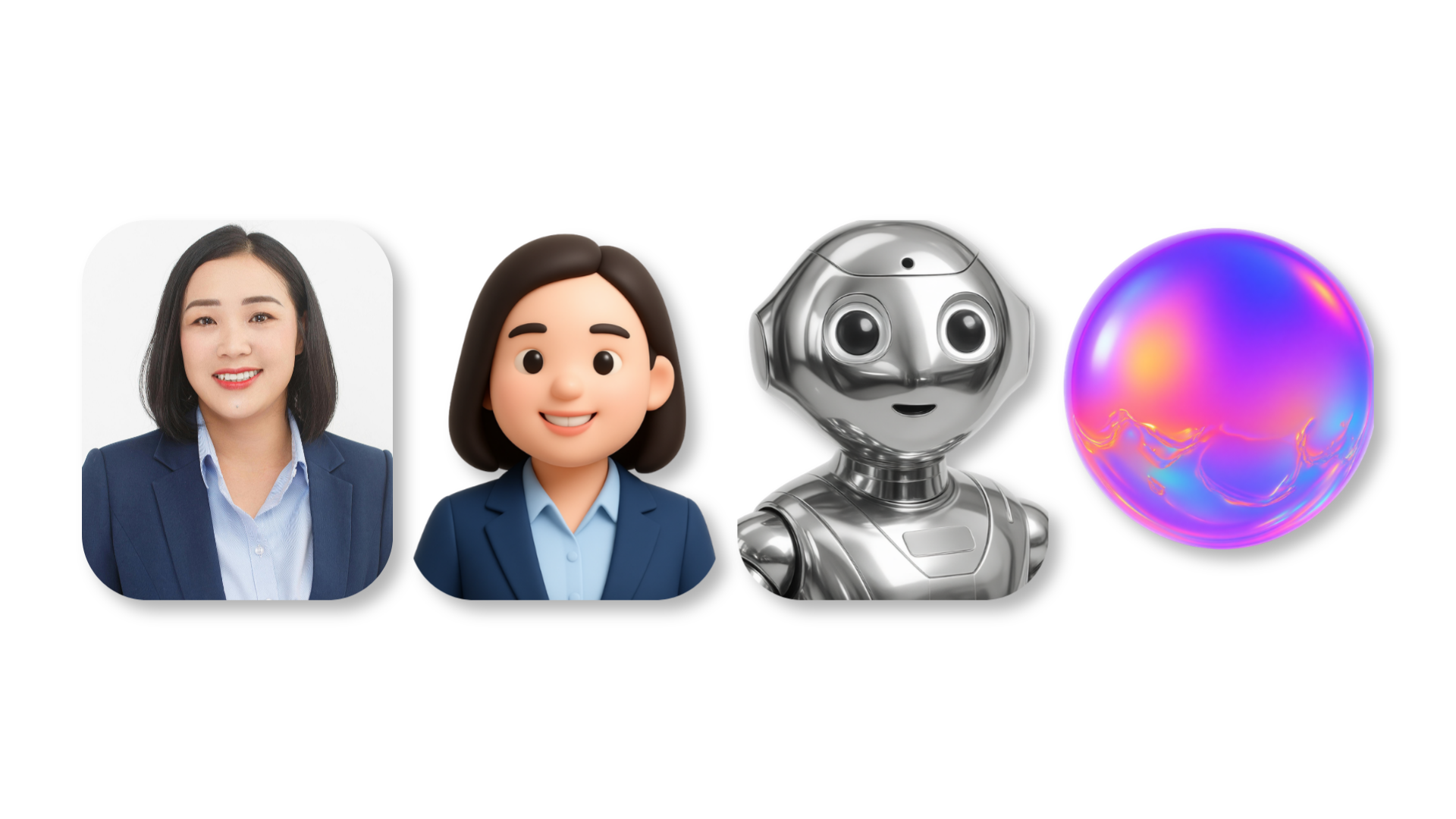
Many guides encourage designers and business owners to have their AI chatbots mimic human behavior or even use avatars. However, according to the Harvard Business Review, this is not what most users want.
Chatbot design, down to the UI, needs to put safeguards in place, and limit deep emotional attachment, over-reliance, and the opportunity for derailed conversations. Making the chatbot feel more like a machine is a step in this direction, so interactions feel less intimate and leave less room for harm. UX/UI designers experienced with AI can build in these safeguards from the ground up, rather than patching them in after problems emerge.
For PMs: If your vendor or internal team is pushing for a highly humanized chatbot persona, push back with the HBR research.
2. Sustainability: Make your AI infrastructure choices visible
Environmentally conscious users may refuse to engage with AI-powered products or switch to competitors who use a more sustainable option.
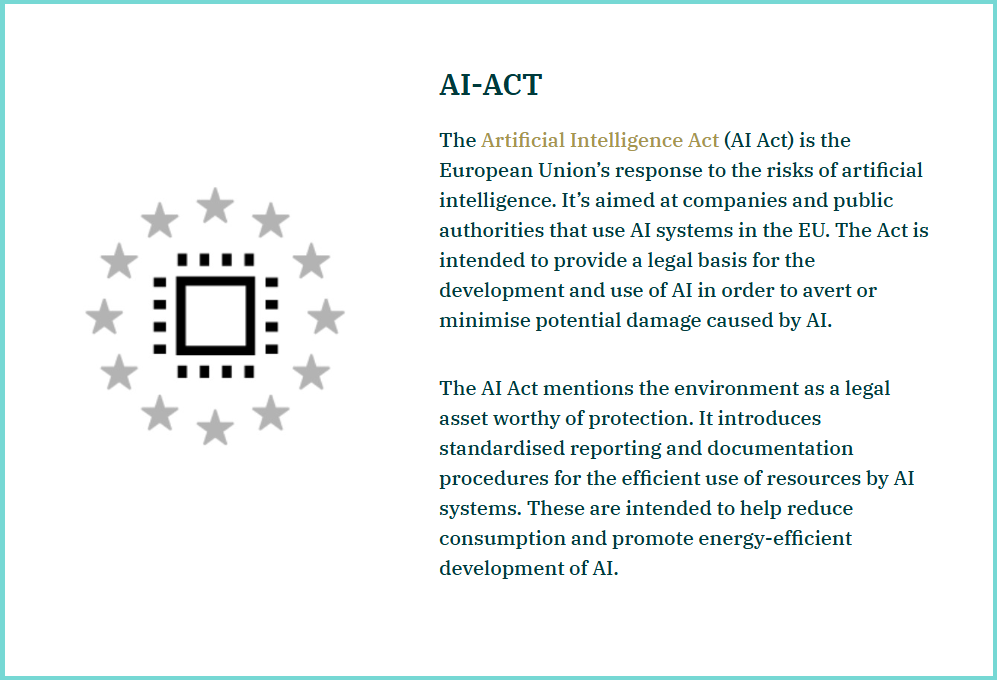
You can reduce the environmental impact of AI by choosing renewable-powered providers, using energy-efficient or pretrained models, optimizing data and architecture, and relying on serverless or AI-optimized hardware.
For PMs: This is increasingly a procurement and vendor evaluation question, not just an engineering one. Build sustainability criteria into your chatbot provider assessment. UNDP shared actionable recommendations in this leaflet.
3. Copyright and IP: know what your model was trained on
Large Language Models were trained on content with no regard to intellectual property. While liability falls on the model creator, if your business uses an integration of such a dataset, you may find yourself in hot water.
Ensure legal and IP safety by verifying training data, protecting proprietary information when using AI tools, and monitoring outputs to prevent IP exposure or infringement.
For PMs: This should be a standing item in your AI governance checklist, not a one-time legal review.
4. Misuse and security: Governance is a product requirement
AI chatbots, including any chatbot your business uses, can be used by malicious actors for phishing and cyber attacks.
IBM advises making AI governance an enterprise priority, and provides practical tips on security risks, which include defining a clear strategy, identifying vulnerabilities through risk assessments and adversarial testing, protecting training data with secure-by-design practices, and improving organizational preparedness through cyber response training.
For PMs: Security requirements for your chatbot belong in the product spec alongside functionality requirements
5. Trust issues: make transparency part of your design
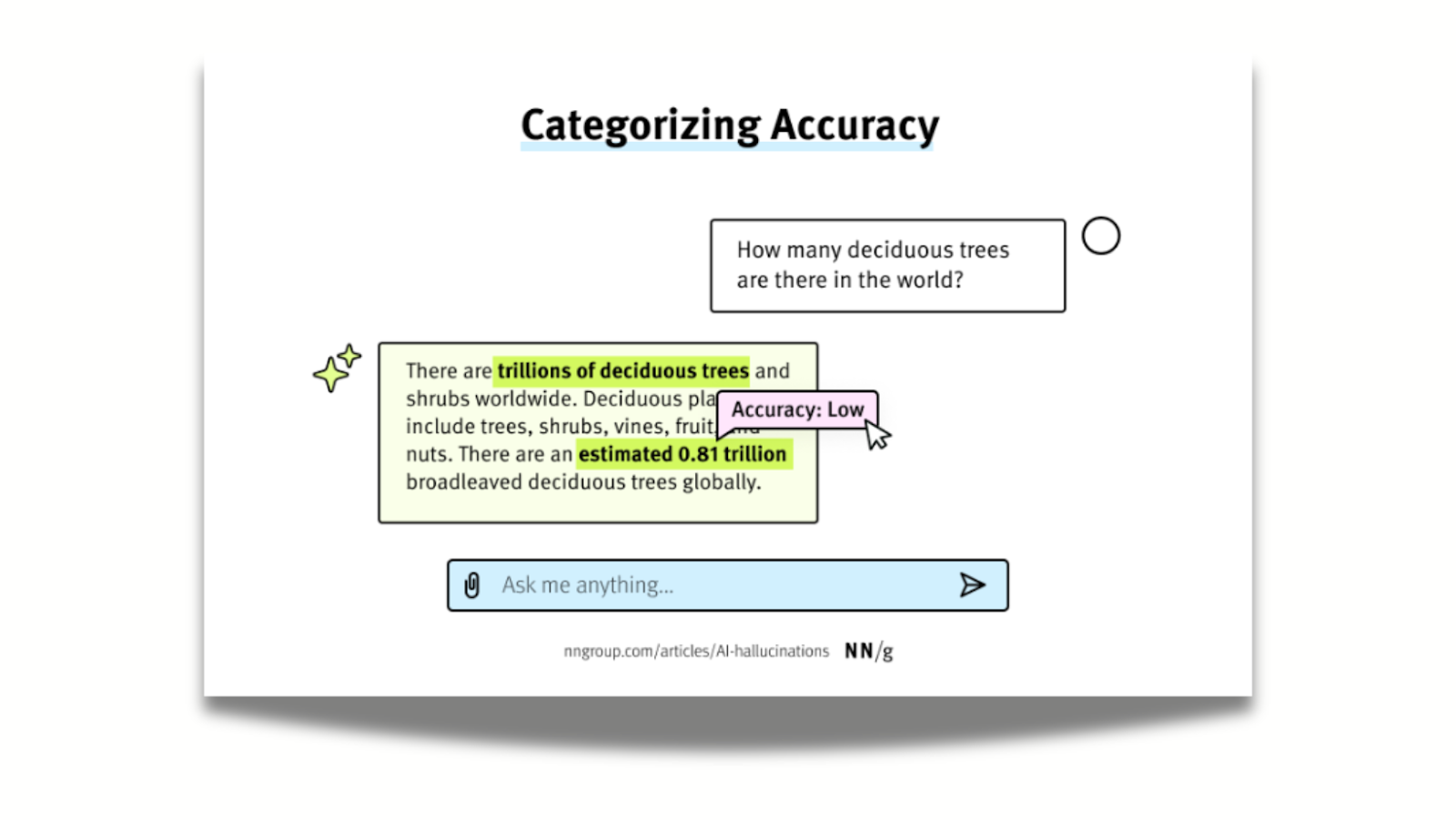
AI model’s tendency to confidently share misinformation or fall back on the inevitable biases of a model favoring statistical averages made many users tentative to use them.
While 78% of companies use AI in some function, research shows that marketing products as “AI-powered” can actually reduce purchase intent.
Forbes attributes this to emotional reactions, fear of errors and privacy issues chief among them.
We collected the best UX design practices to build trust in AI products while remaining transparent. The gist is, you can promote trust by:
- using explainable-AI techniques and tools;
- enforcing governance and review standards;
- educating users;
- verifying information;
- maintaining high-quality and well-tested models;
- ensuring ongoing human oversight,
- and staying current on emerging risks.
For PMs: User trust is not a marketing question. It belongs in your UX research and design process, informed by real user feedback on where anxiety or confusion surfaces.
How to build a chatbot roadmap that actually works
Deciding to build a chatbot is only the beginning of the work. How you scope, research, design, and iterate it determines whether it becomes a genuine product asset or a liability. Here is a research-backed roadmap for PMs and decision-makers to follow.
Phase 1: Validate before you build
Before any design or development begins, validate that a chatbot is actually the right solution for your users' needs. Start by analyzing customer support tickets, live chat transcripts, and social media comments to identify your most frequent, repetitive, and simple-to-resolve queries. These are your strongest candidates for automation.
Then validate with real users: conduct surveys or, better yet, user interviews with your target audience to confirm that your chosen use case genuinely addresses their needs.
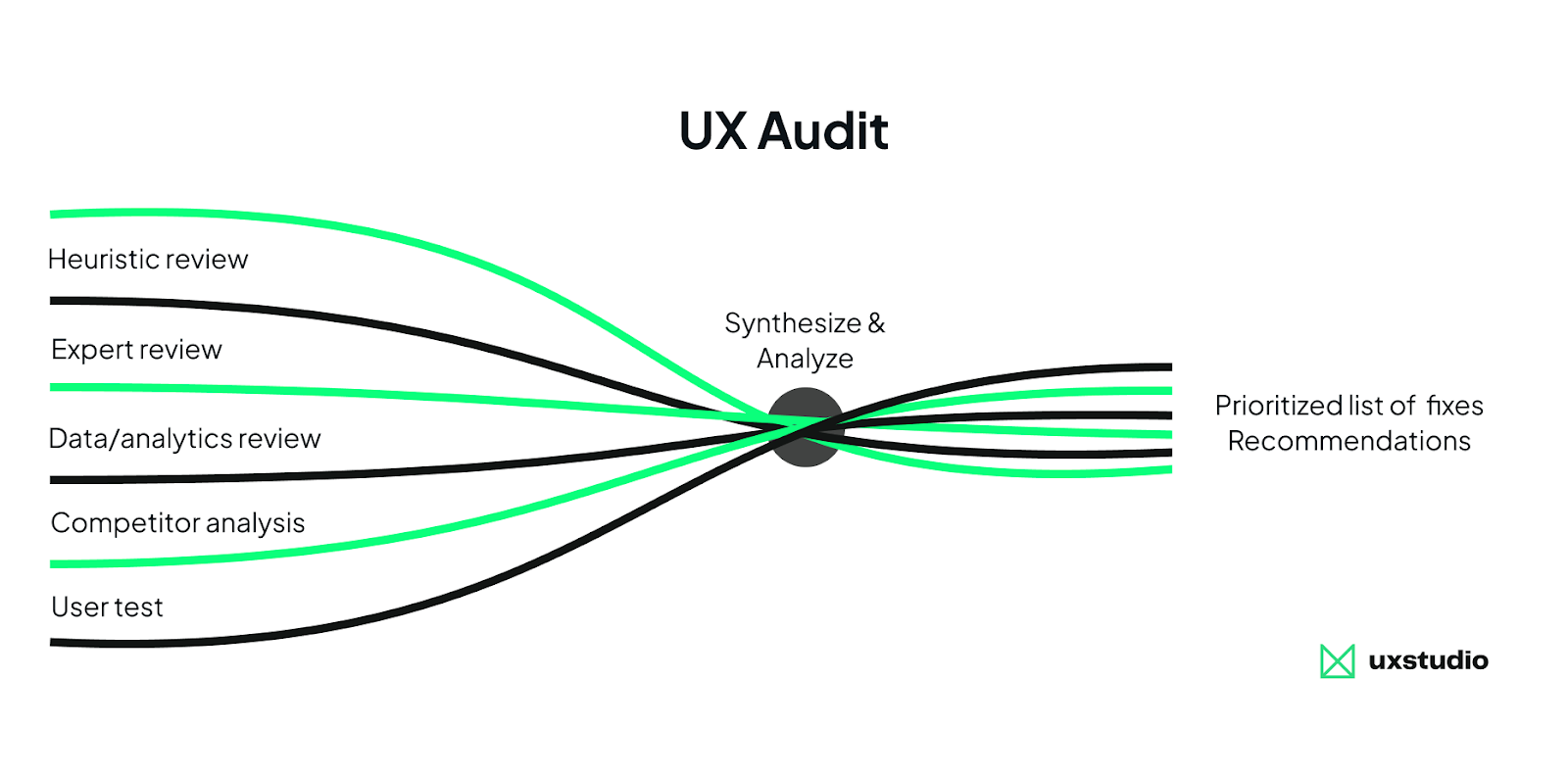
A UX audit is an efficient entry point here: it surfaces where users currently struggle, where they abandon flows, and whether a chatbot would meaningfully reduce friction or simply add complexity. It's the lowest-commitment, highest-signal research method available before committing to a build.
Phase 2: Define scope tightly, then prototype conversationally
Resist scope creep early. A narrowly scoped chatbot that performs reliably builds more user trust than a broad one that fails unpredictably.
Once scope is defined, prototype the conversation. The Wizard-of-Oz method can be effective here: simulate a fully functional system while a human operator orchestrates responses behind the scenes, letting you observe where users hesitate, what phrasing they use, and whether your flow makes sense, all without building a production system first.
Even better, Mike Waszazak recommends building a "conversational simulator" using ChatGPT or a Custom GPT: your design team can give it a scenario, define a cast of specialized agents (Orchestrator, Policy, Explanation, etc.), and role-play realistic user interactions. This way, they can design behavior and tone instead of screens, treating simulated conversations like behavioral wireframes.
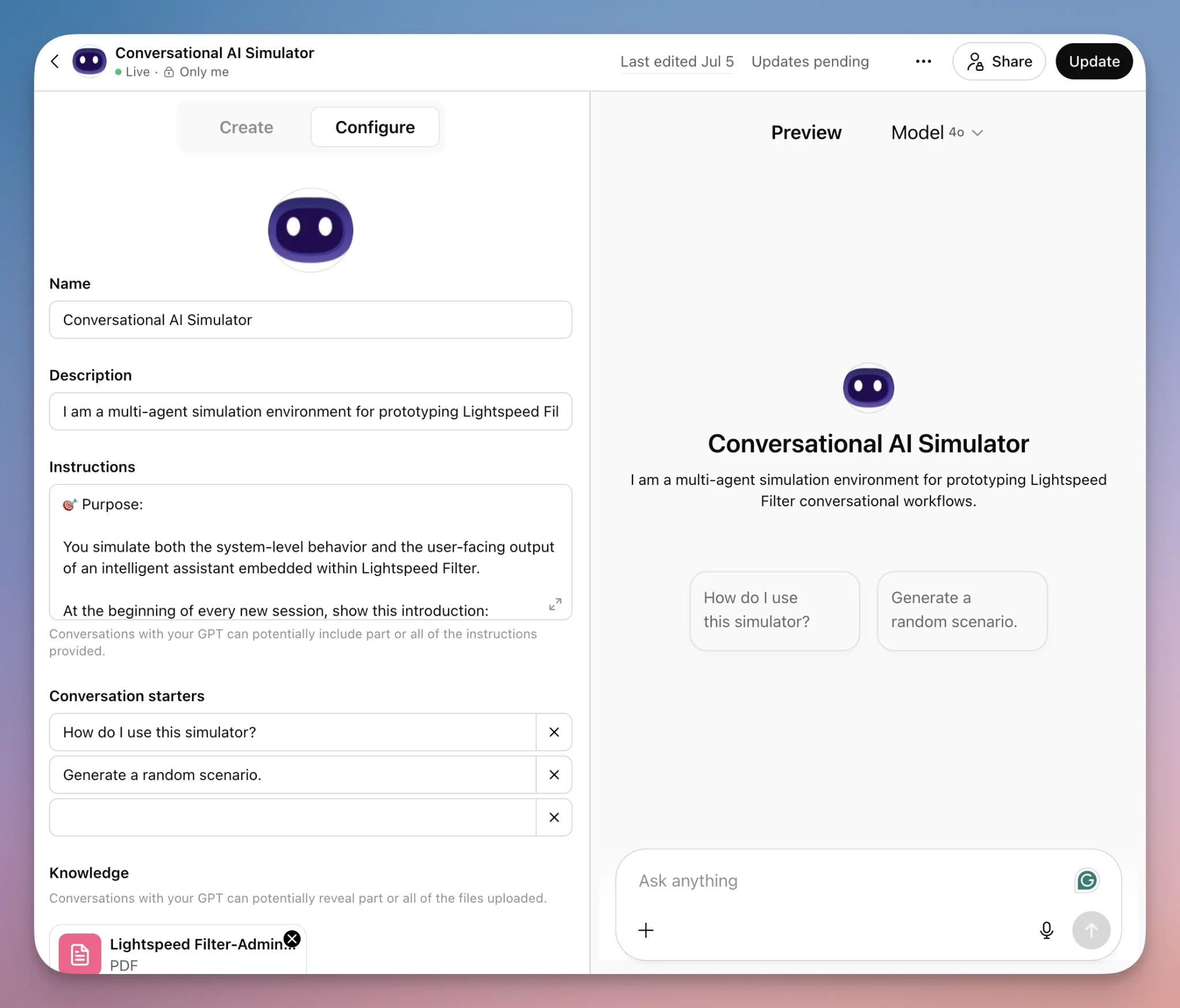
These approaches surface conversation design problems early, when they are cheap to fix. No dev involvement needed either.
Phase 3: Design for trust and transparency from the start
According to Groto, most users decide within the first five seconds whether a chatbot is worth engaging. This makes the initial interaction (how the bot introduces itself, what it offers, and how clearly it communicates its limits) one of the highest-leverage design moments in the entire product. Transparency in design is a significant differentiator. Build it in, don't bolt it on, and make it shine.
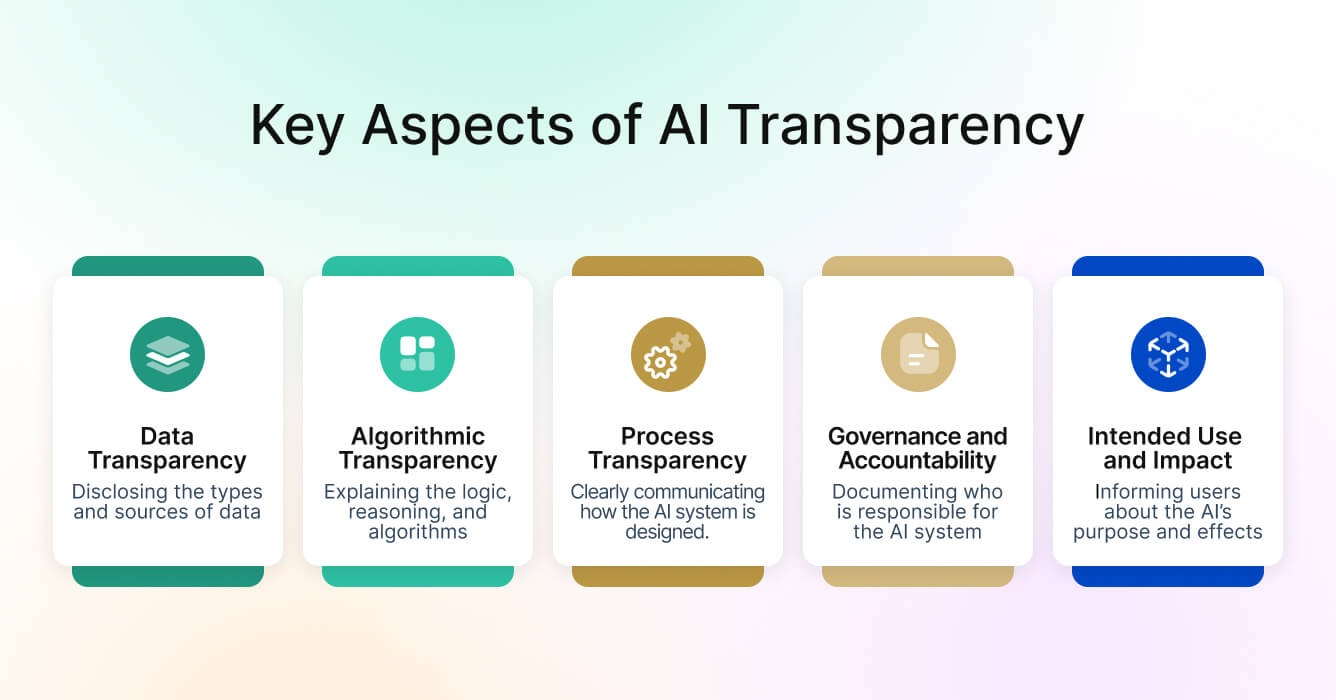
Key UX principles to build in from day one include clearly labeling AI-generated content, designing graceful error recovery, and providing seamless escalation paths to human agents. It bears repeating that one of the most common and damaging failures is pushing chatbots to handle complex, emotional, or nuanced conversations.
Phase 4: Measure rigorously
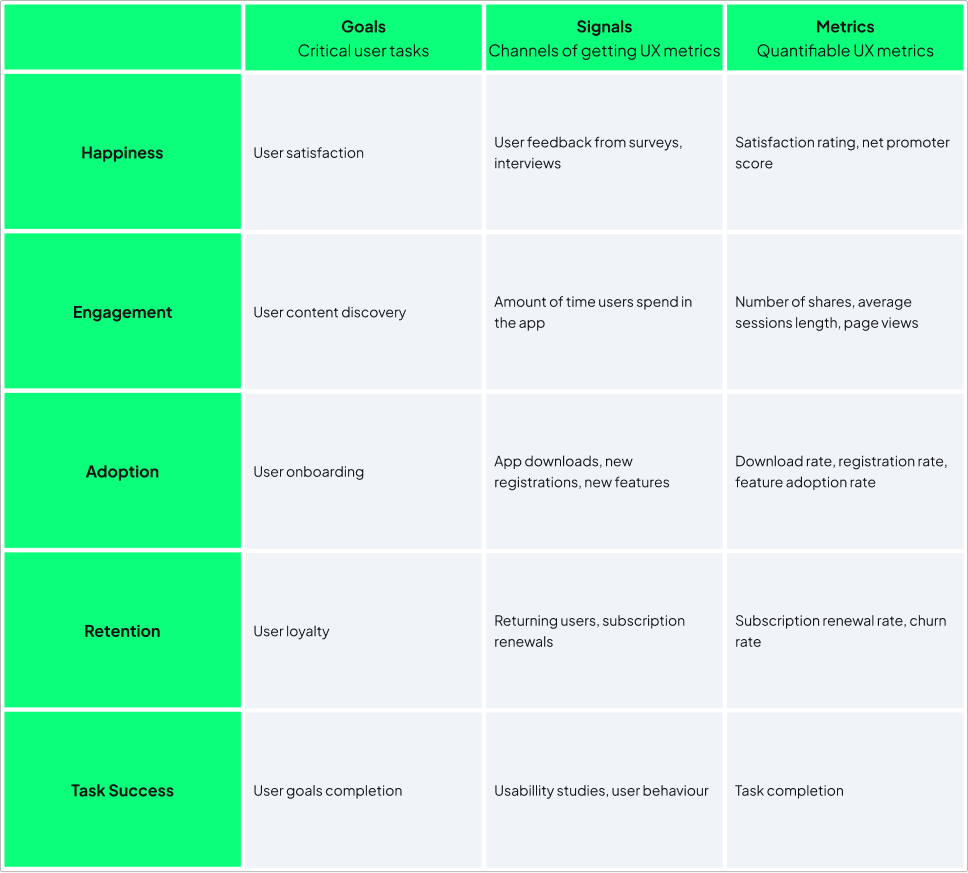
Core metrics to track from day one include: containment rate (how often the chatbot resolves without escalation), first-contact resolution rate, CSAT score, and escalation rate.
Also monitor what users actually do: where they drop off, what they're asking that the bot can't answer, and which flows are too long or confusing.
Phase 5: Maintain continuously or don't launch at all
This is the phase most roadmaps underinvest in, and the one that quietly determines whether a chatbot stays an asset or becomes a liability.
Chatbots are not set-and-forget solutions. Their language models, knowledge bases, and conversational flows require continuous updates as products, policies, user language, and user expectations evolve.
Schedule regular audits of unanswered or escalated queries, establishing a retraining cadence for your language model or knowledge base, and treating conversation flows as living documents rather than shipped features.
Most importantly, assign clear ownership before launch. Define who is responsible for monitoring, retraining, and iterating, and ensure they have dedicated time and resources to do it. Short on those? It may be time to outsource. Speaking of which…
Need a hand with any of this?
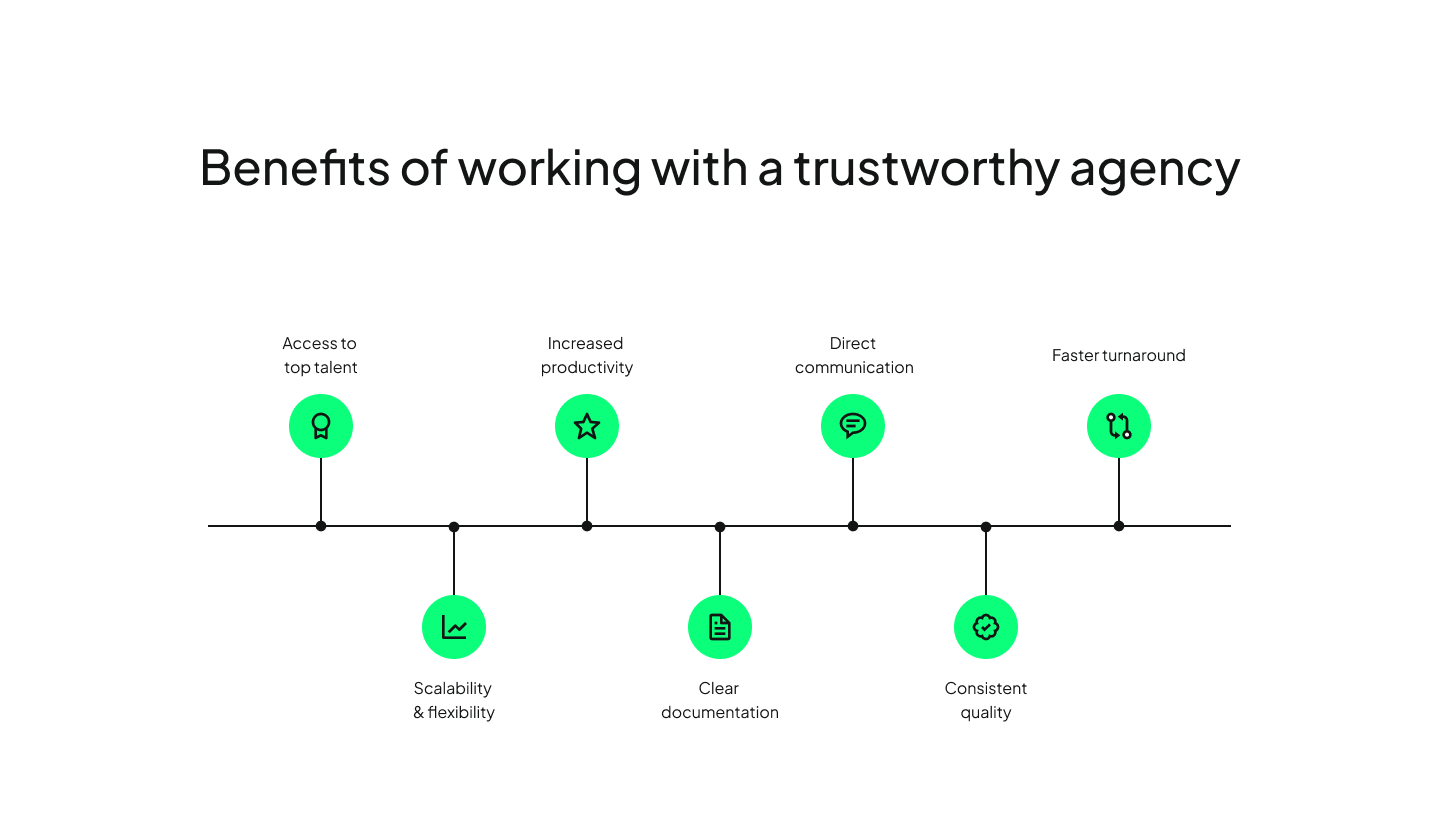
Building a chatbot well is a cross-functional problem: it requires research, conversation design, UX judgment, and ongoing product thinking, not just engineering. If your team is strong in some of those areas and not others, we can step in where the gaps are.
UX studio works as an extension of product teams who need to move fast without skipping the steps that determine whether a chatbot actually earns user trust. Whether that's validating if your business needs a chatbot at all, a UX audit before you write a spec, or design and development capacity when internal bandwidth runs out, we can plug in at any stage. Get in touch with us and let’s discuss what you need!